Context
Team: I was the only designer on this project and ran it with a product manager. Sage had around 60 designers, all working on other things.
My part: the analysis, both design directions and the presentation, then the final designs, first in Sage’s old brand and then in the new one.
Who it went to: we presented the work to developers, marketing and the design manager, and handed it over to them.
When: 2021–22, during my time at Sage.
The problem
Few people reached the plans: nearly everyone saw the top of the page, but many never saw the main button, and fewer still scrolled down to the plans.
It sold before it helped: some people felt the page pushed the product before helping them work out which one suited them.
Plans were hard to compare: the product cards weren’t built around how people choose, so comparing them was hard.
A long scroll: people mentioned how far they had to scroll.
Not only new customers: many people used the page to log in, so it had to work for returning customers too.
Where this came from: page analytics showing how far down the page people got, and findings from Sage’s research team.
Two directions
Direction 1, product first: a headline about making accounting easy, features in a carousel people swipe through, a comparison with other accounting brands, and plan cards with the features above the button.
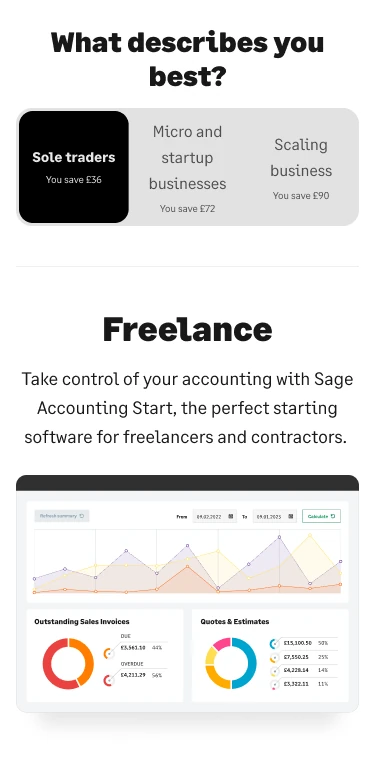
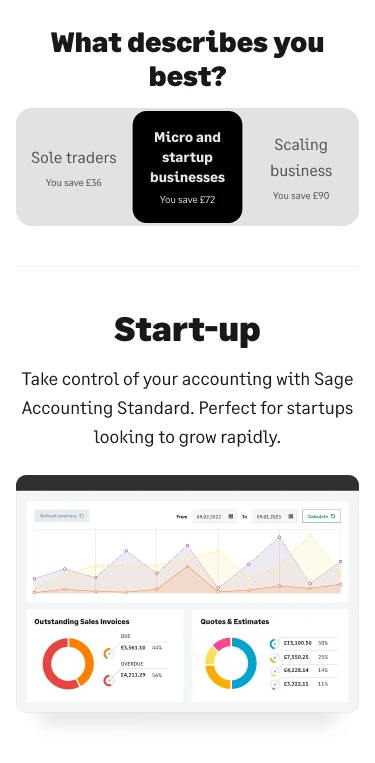
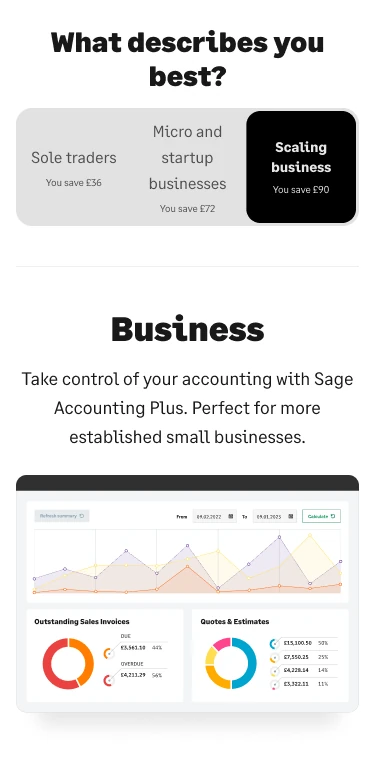
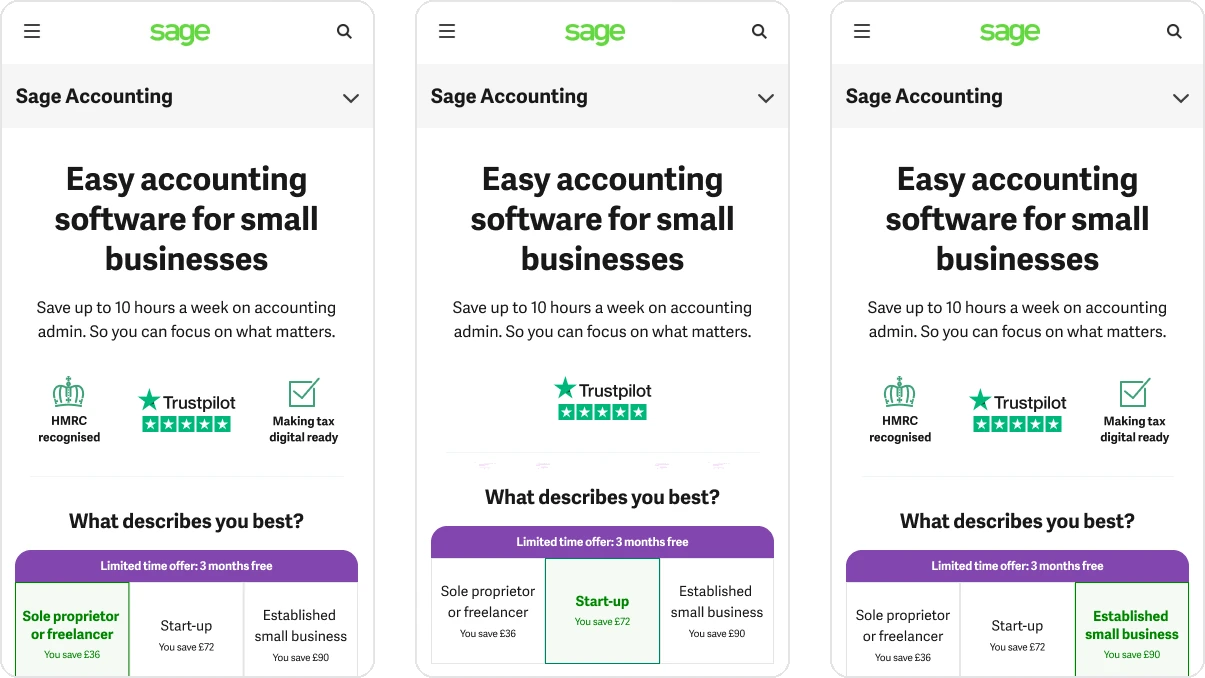
Direction 2, personalised: the page asks ‘What describes you best?’, then shows only the features and the plan for that answer: start-up, freelancer or business. Anyone who doesn’t choose sees the most popular plan.
What went forward: the personalised direction. Both directions shared the feature carousel, the comparison and the new plan cards, so those carried on too.
Decision 1: Ask who they are first
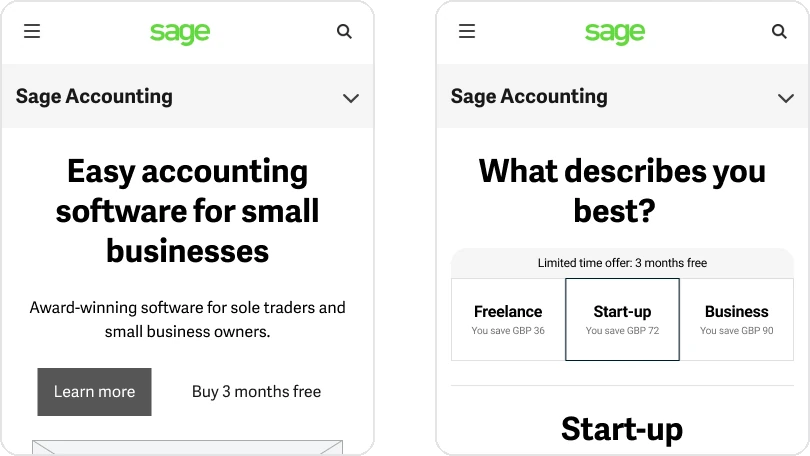
What I saw: people couldn’t tell which plan suited them, and the page talked about the product before helping them decide.
What I did: a question near the top, ‘What describes you best?’, with three answers. Each answer changes the heading, the features and the suggested plan below it.
Why: people see the features that matter to them, and the page points them to a plan instead of leaving them to compare three.
Decision 2: A shorter page, with tabs that stay in view
What I saw: the page needed a long scroll, and most people never reached the plans.
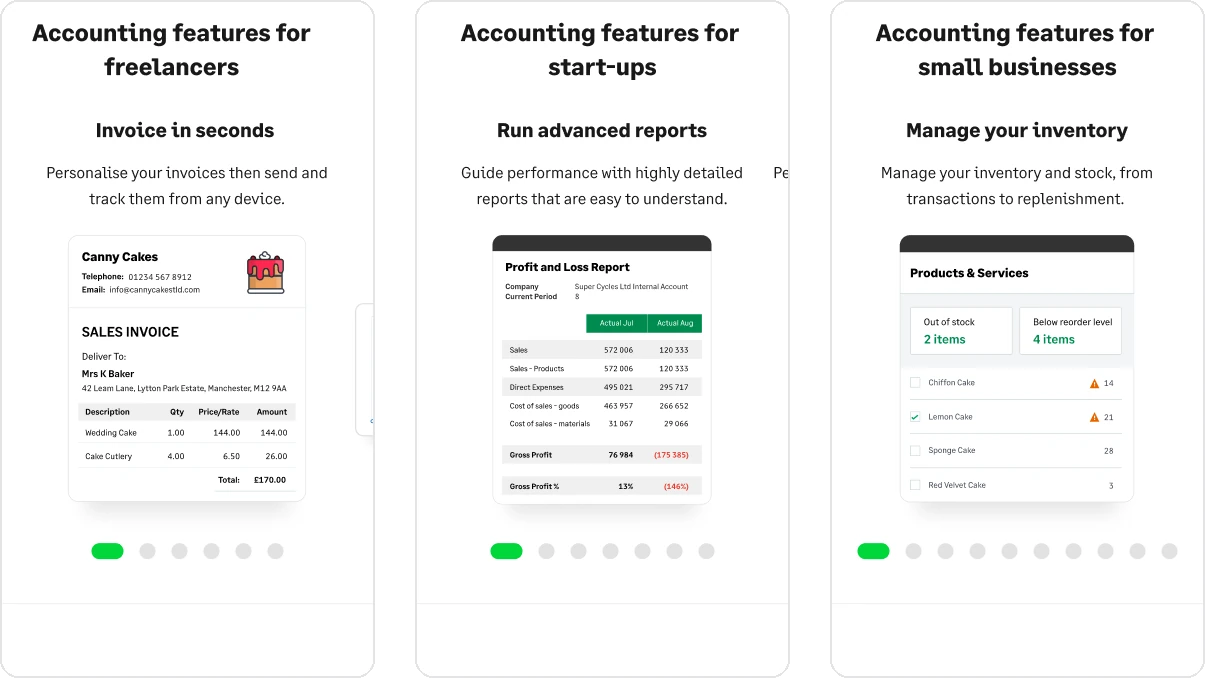
What I did: the features moved into a carousel people swipe through, so the page got shorter. After the first scroll, tabs for the features, the comparison and the plans stay in view, so people can jump to any of them, and returning visitors can go straight to the plans.
Words before images: most people scan rather than read, so each feature’s title and description come before its image. The words are there first, even if an image is slow to load.
Decision 3: Plan cards that follow how people decide
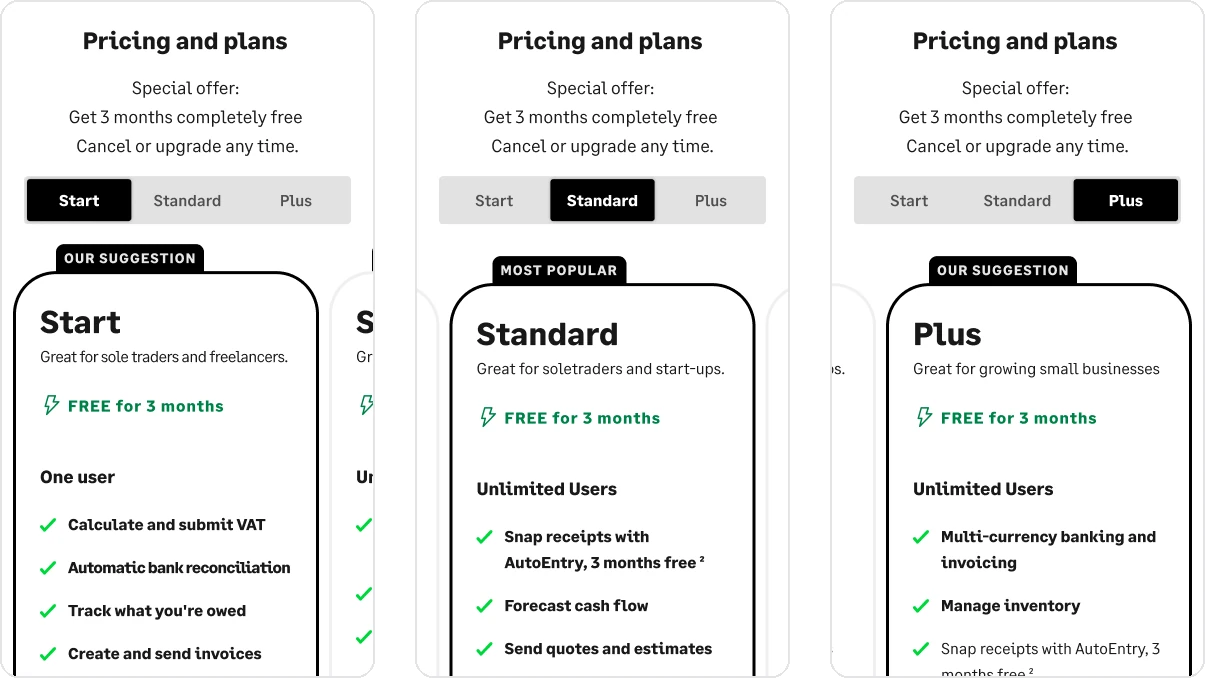
What I saw: Sage’s research showed that people read, learn and compare before they buy, but the plan cards didn’t follow that order. Some people were also confused by a 30-day trial button next to a ‘3 months free’ offer.
What I did: each plan’s features sit above its button, and people swipe or tap between plans to compare them. The plan that fits their answer is marked as the suggestion.
Price proposals: I also proposed two changes from published research on how people perceive prices: writing ‘GBP’ instead of the £ sign, and making the price figures smaller.
Two brands and the handoff
Two brands: I designed the pages first in Sage’s old brand, then again in the new one.
Handoff: I specced the spacing, the sticky navigation, the type styles and the plan cards, and exported the feature images for build. The final screens are in the gallery.
Result
A/B test: the new design ran against the old page in the UK.
Early result: in the first three weeks, the new page’s conversion rate (purchases and completed forms) was 19% higher than the old page’s. The test hadn’t yet reached statistical significance.