Outcome
- Clothing photos rejected
- 41% → 13%
- SMS codes sent per new user
- ⅔ fewer
- New users saving an item in their first week
- 22% → 40%
The problem
Wherever I went, I noticed people repeating the same outfit for days. They had the clothes. What they didn’t have was the energy to put new combinations together, or a quick answer to ‘what should I wear for this?’ before heading out.
I wanted to build a tool that does what a personal stylist does: knows what’s in your wardrobe, checks the weather and suggests something worth wearing.
What Nouva does
Nouva turns your own clothes into outfit suggestions for the weather.
Digital wardrobe
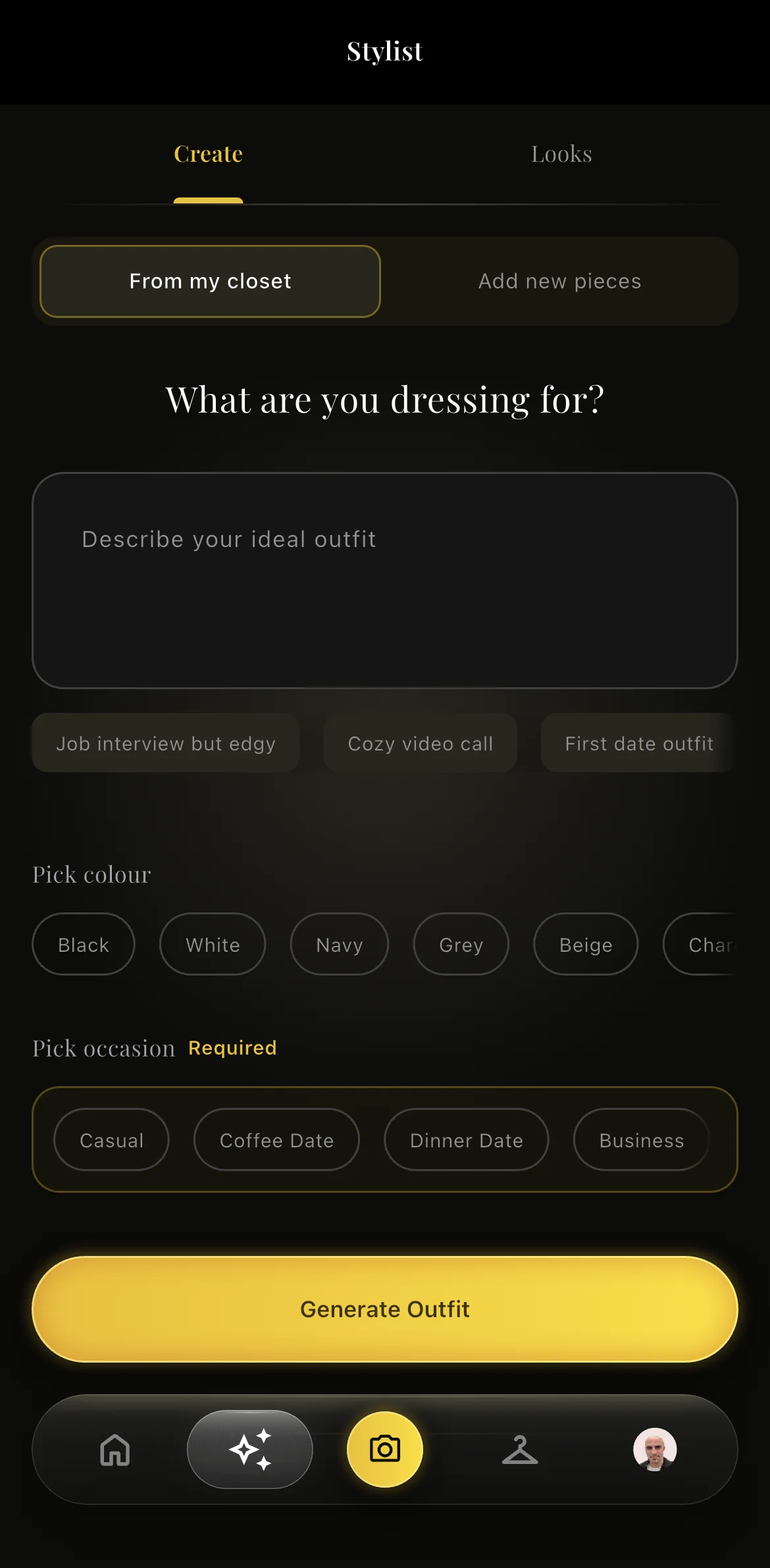
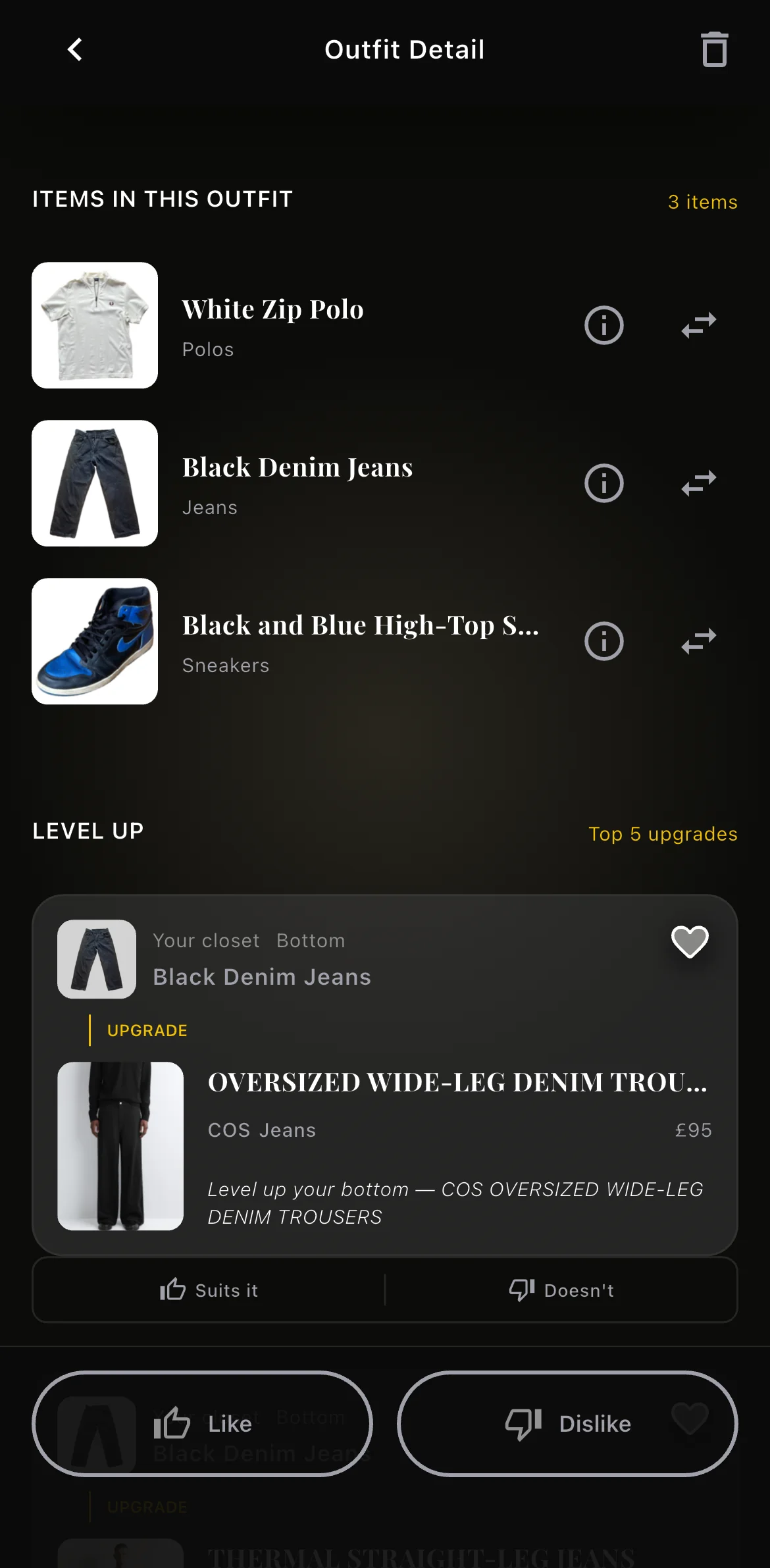
Photograph your clothes and they become a wardrobe Nouva can build outfits from.
Outfits for the weather
Suggestions made from your own clothes and matched to the weather.
Mirror selfie analysis
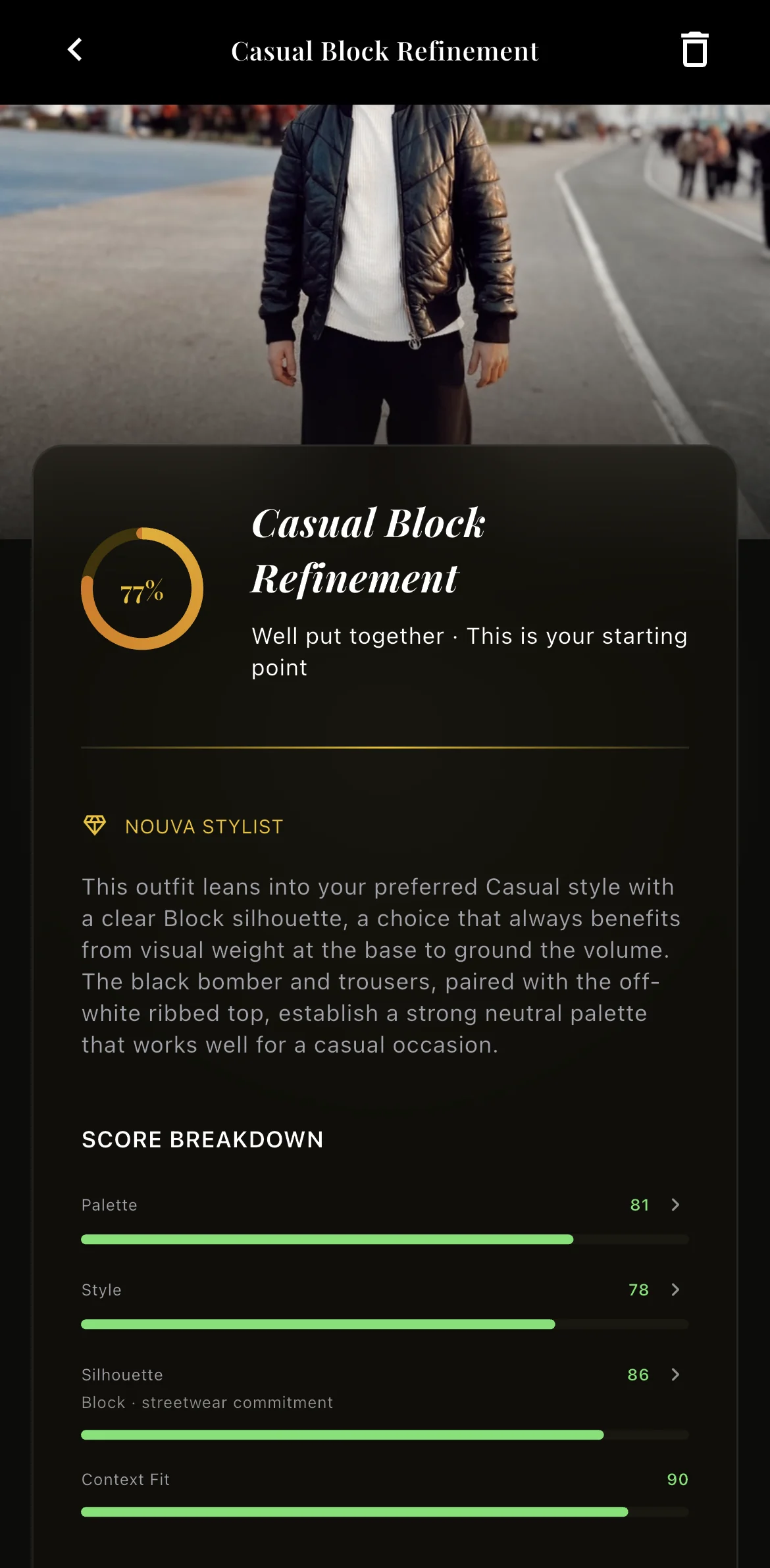
Take a mirror selfie and Nouva analyses the look.
Taste Vector
A profile of your taste that Nouva uses to recommend products from high-street retailers such as Zara, Massimo Dutti and COS.
Decision 1: Rebuilding from scratch instead of paying to stay
Context: I launched the first version on the App Store and Google Play with FlutterFlow, a visual app builder.
The problem: FlutterFlow limited what I could do with the design, and staying on it meant paying a large annual subscription.
The decision: I judged that rebuilding would make more sense than paying to stay, and would give me far more control. I redesigned the app from the ground up and rebuilt it in Flutter.
The outcome: the new version launched in early 2026. The FlutterFlow version was slow; the rebuild gives users a much faster experience, which makes the whole app feel more premium.
Decision 2: Asking for a phone number only once people are invested
What I saw: 40% of users weren’t receiving the SMS verification code, so they couldn’t finish signing up. On top of that, onboarding asked for a phone number up front and included several extra steps.
What I did: I switched to a different SMS provider, removed the extra onboarding steps and took the phone number out of onboarding. People can now save their first item without one, and are asked before their second.
Why the second item: people should see what Nouva can do before anything stands in their way, so saving the first item needs no phone number. Someone who comes back to add a second item genuinely wants to use the app, so that’s the moment to verify them. It keeps fake accounts out without blocking new users at the door, and because every SMS costs money, codes go only to people who have shown they want the app.
The outcome: after the provider switch, SMS delivery went up to 100%. The share of new users sent a code in their first week fell from 81% to 27%, cutting SMS codes per new user by two-thirds.
Decision 3: Fixing the upload step that everything depends on
What I saw: every feature in Nouva starts with users adding their clothes, and that step was failing. I had deliberately added a filter to reject photos that weren’t clothing — I didn’t want people uploading a photo of their feet as an item — but it had become far too strict and was rejecting genuine clothing photos too. One user tried to upload 70 times and was rejected every time.
What didn’t help: the app already showed photo tips when people first opened it, before every capture and on the rejection screen. People saw the tips and were still rejected, so more guidance wasn’t the answer.
What I did: I removed the on-device check that was rejecting real clothes, and added an AI step that turns real-world photos into images the app can use. For example, people often photographed clothes on a drying rack; the AI step cleans these up so the item can be saved.
The outcome: in the 30 days before the change, the app rejected 312 of 762 clothing photos (41%). In the two weeks after, it rejected 30 of 224 (13%). Once people could add their clothes, they started generating outfits and using the rest of the app.
How I work
Frequent releases: I track behaviour in PostHog and Google Analytics, form hypotheses from what I see and ship them in several releases a week.
From Figma to code: I started in Figma, with design-system tokens, components and every screen drawn out. Once I was shipping several times a week, the files couldn’t keep up, so I now design new features directly in the product, test them and ship them.
AI-assisted engineering: I built Nouva with ChatGPT, Gemini and Claude Code; Claude Code is now my main tool.
Business model: ads and a premium subscription today, with sponsored placements planned as the product grows.
Where it is now
Nouva has passed 1,000 downloads and has its first paying premium subscribers: a product I took from zero to revenue on my own.
Between the summer and autumn releases, the share of new users saving an item in their first week rose from 22% to 40%, and of those, the share generating an outfit rose from 14% to 49%.
Next: I keep launching new features to improve retention.
What I learned: the changes that moved Nouva forward weren’t new features. They were removing what stopped people: an SMS that never arrived, extra onboarding steps and a filter that rejected real clothes.